Put A Business Announcement Here.

Title
Let's Connect!
A Small Business Guide to Implementing Multi-Factor Authentication (MFA)
Cybercriminals are relentless, and weak passwords are their favourite target. For small to medium businesses (SMBs) in Newcastle, a simple password just isn’t enough anymore. That’s why Multi-Factor Authentication (MFA) has become an essential security tool.
At Crossover IT, we help SMBs across Newcastle implement MFA in a way that’s simple, practical, and effective — without breaking workflows.
Why MFA Matters for SMBs
MFA adds an extra layer of defence. Even if a hacker steals a password, they still can’t get in without a second factor, like a text code or a fingerprint. With nearly 43% of cyberattacks targeting small businesses, MFA is a must-have, not a “nice to have.”
How MFA Works
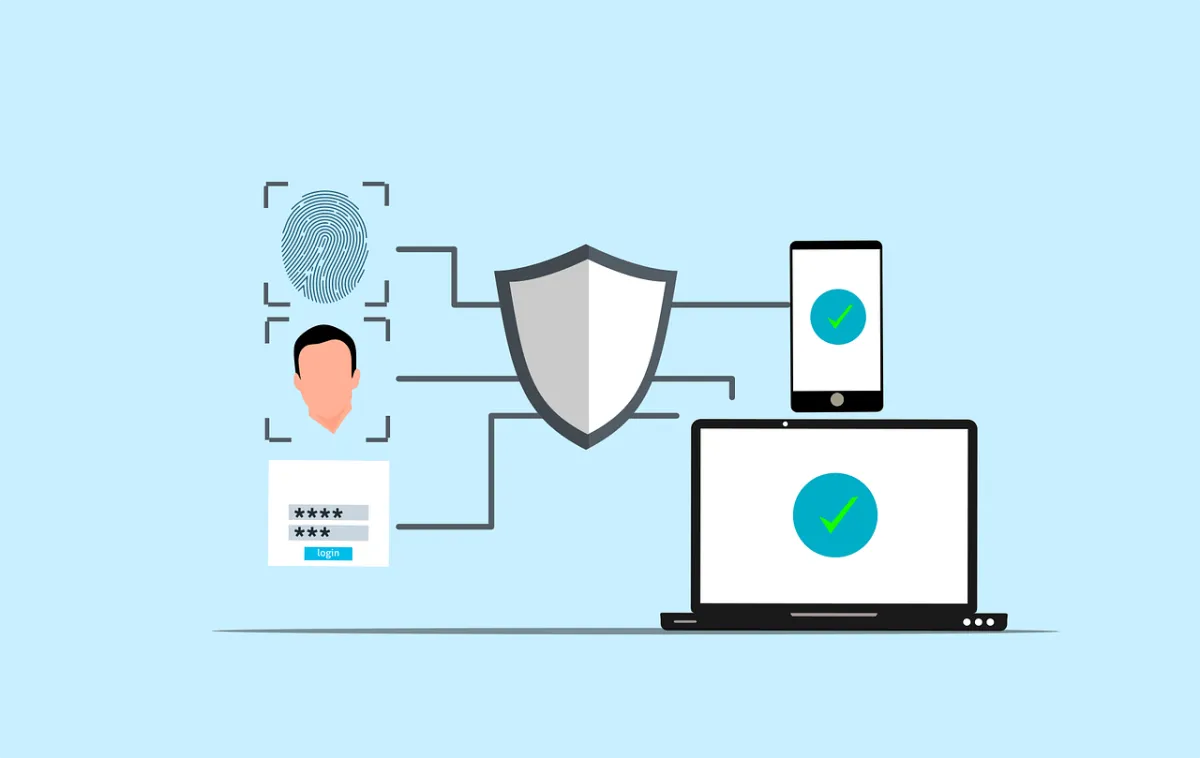
MFA uses at least two of these factors to verify identity:
Something you know (like a password)
Something you have (like a smartphone or security token)
Something you are (like a fingerprint or facial scan)
By combining them, you make it far harder for attackers to break through.
How to Roll Out MFA in Your Business
A smooth MFA rollout takes planning. Here’s a step-by-step guide:
1. Assess Your Risk
Identify which systems hold your most valuable data, like:
Email accounts
Cloud services (Microsoft 365, Google Workspace)
Customer databases
Remote access tools
Start your MFA rollout with these priority areas.
2. Choose the Right MFA Solution
Popular options for small businesses include:
Google Authenticator: Free, simple, and effective
Duo Security: User-friendly with flexible options
Authy: Allows multi-device syncing
Okta: Enterprise-grade with advanced integrations
Pick a solution that fits your team’s budget, size, and ease of use.
3. Roll Out in Phases
Don’t try to force MFA on every employee at once. Roll it out in stages:
Start with leadership and admin accounts
Expand to other critical teams
Then cover all staff accounts
This phased approach helps with training and adoption.
4. Train Your Staff
Most MFA failures happen because employees don’t understand how to use it. Provide clear instructions, videos, or even quick walkthrough sessions to help them get comfortable.
5. Monitor and Adjust
Once MFA is active, monitor its performance:
Check adoption rates
Gather feedback on ease of use
Fine-tune policies if needed
Revisit your MFA policies regularly as your business grows.
Overcoming Common MFA Challenges
Some businesses fear MFA will frustrate employees or cause delays. The reality is, modern MFA tools are designed to be quick and user-friendly. By offering support and training, you can keep the process smooth.
MFA: A Simple Win for Big Security
Adding MFA is one of the fastest, most affordable ways to strengthen your business security. It’s a small step that can block massive threats.
Need help implementing MFA or securing your critical accounts?
Contact Crossover IT — the go-to MSP for SMBs in Newcastle — to build a safer, stronger business.


Your Paragraph text goes Lorem ipsum dolor sit amet, consectetur adipisicing elit. Autem dolore, alias, numquam enim ab voluptate id quam harum ducimus
Get In Touch
Need to reach us? Shoot us and email or give us a call today.
502-555-1234
Sign up For Our Newsletter
Subscribe to our newsletter to get our newest articles instantly!
Follow Us: